Copyman is blazing fast!
And it's packed with many useful features for automation and multiple copy workflow.
Copyman is free for Windows, Mac and Linux and source code is available on Github.
Unlock maximum performance (disabling progress) - up to 3x faster than standard OS copy.
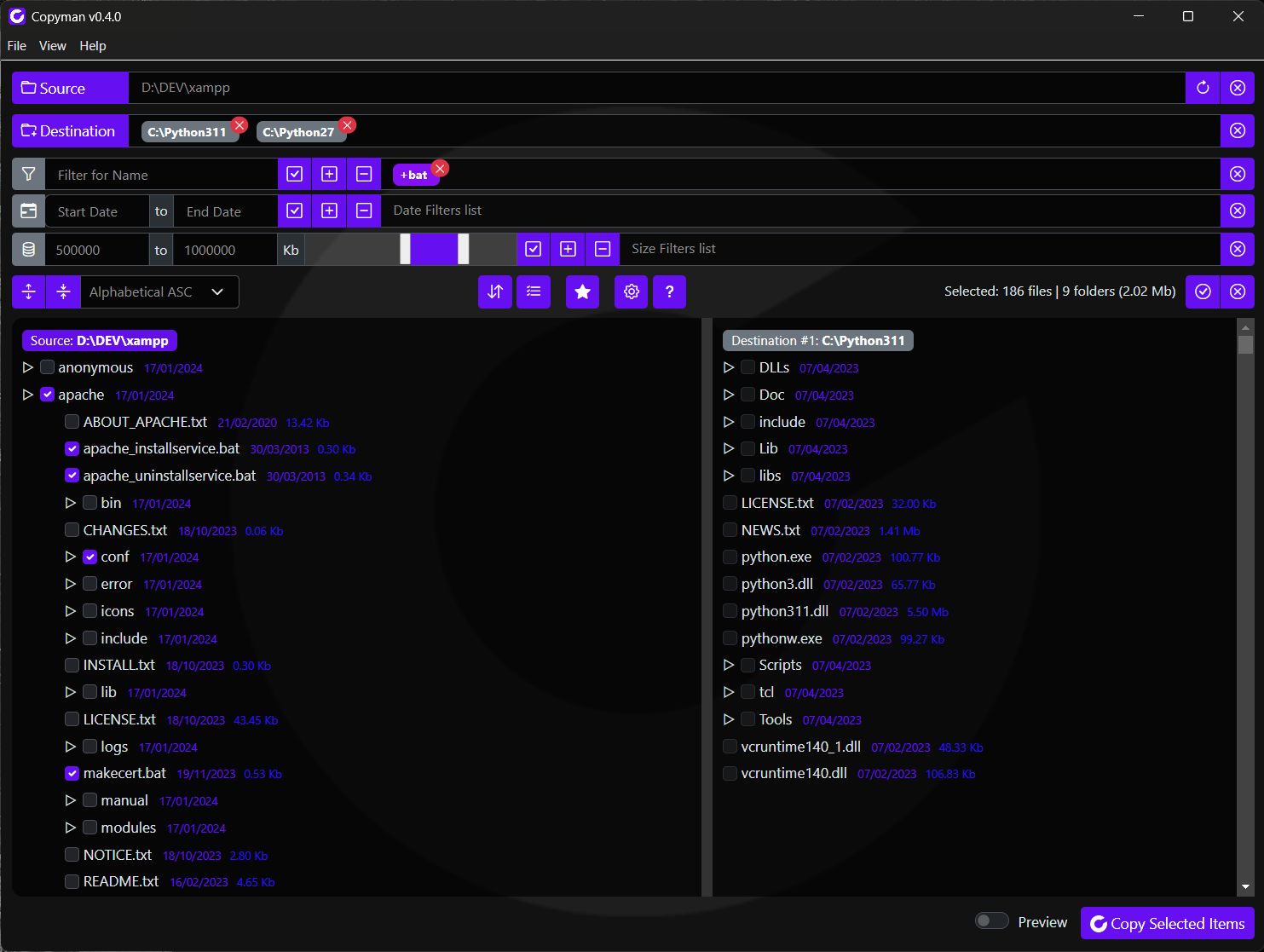
Allows you to select multiple Destination Folders to copy your files at the same time, enhancing efficiency.
Easily identify, select, and navigate files or folders from a Tree for quick access and organization.
Instantly spot differences between source and destination trees with side-by-side comparison.
Refine file Selection using custom criteria on Name, Date, Size and Diffs, making the process more targeted.
View a handy summary panel of selected files and folders, always accessible for quick reference.
Copyman offers different Copy Modes to ensure the behavior best suited to your needs.
Save, Load and Execute multiple configurations, your Tasks are maintained between sessions.
Create a Tasks Queue and execute it automatically, to automate and speed up your workflow.
Perform an Analysis of what will happen during the copy process, so you know in advance.
Generate and export detailed Reports and Logs to track every file copied, skipped, or modified.
Create compressed archives instead of copies - perfect for organizing backups more efficiently.
Tailor the behavior to match your workflow with flexible settings and configurable options.
Get instant access to a detailed Instructions page and to inline help, offering useful guidance.
A clean, skinnable, responsive interface guiding you through even complex operations.
Copyman is in early development stage. Executables are provided only for testing purposes.